Wi‑Fi LAN
same network
A peer publishes its address over mDNS and is reached by connecting to it — TCP, no negotiation. The fast path when both devices are on one Wi‑Fi.
22 MB/s send·21.6 MB in 0.46 s receive
Open source · Apache 2.0
Tarish is file sharing for de‑Googled Android that works with AirDrop and Quick Share. Your phone talks straight to Macs, iPhones, Windows PCs and other Android phones — with no Play Services, sandboxed or otherwise, and no account.
Send and receive, on the same Wi‑Fi or with no network at all. Tested against the real thing on each, not only against ourselves.
All measured on hardware, with SELinux enforcing and zero Google apps installed.
On the device
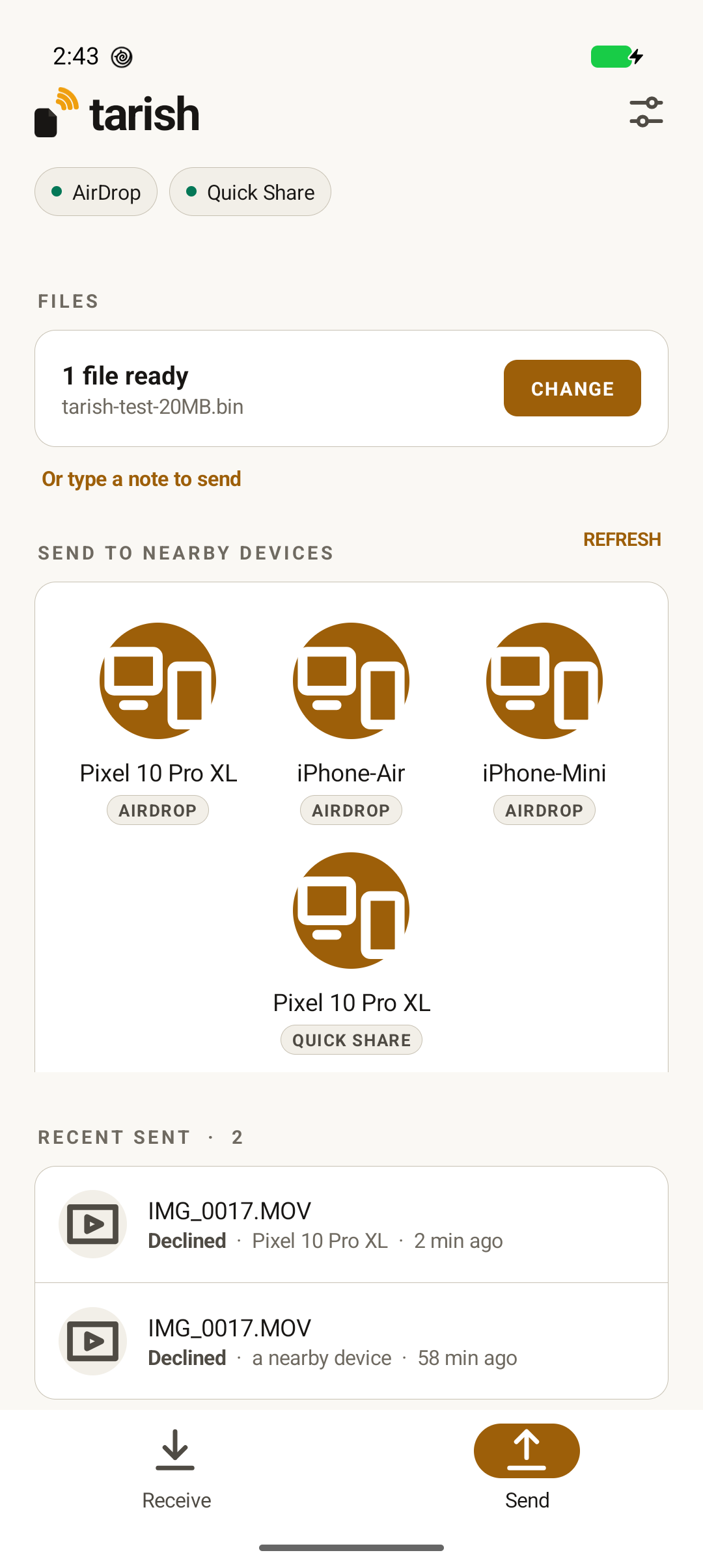
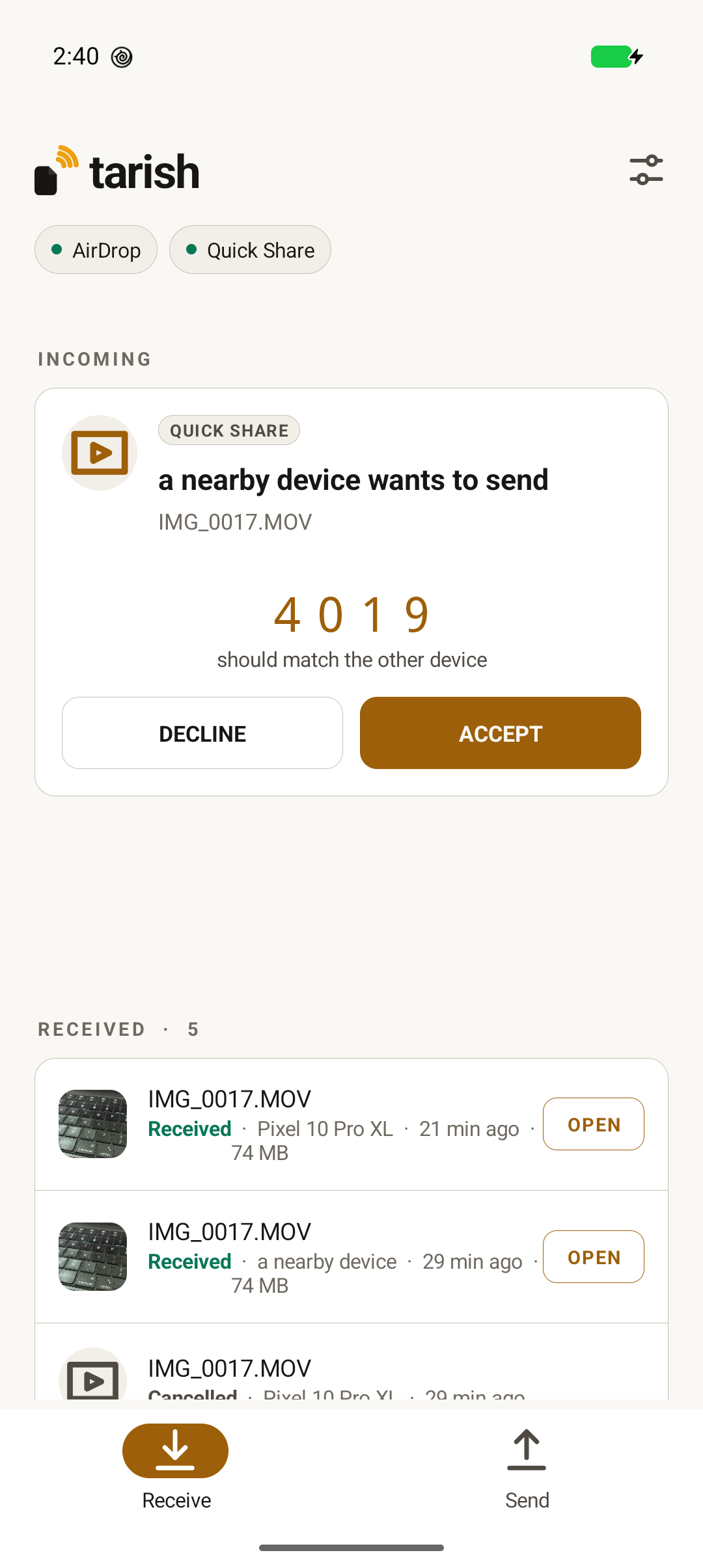
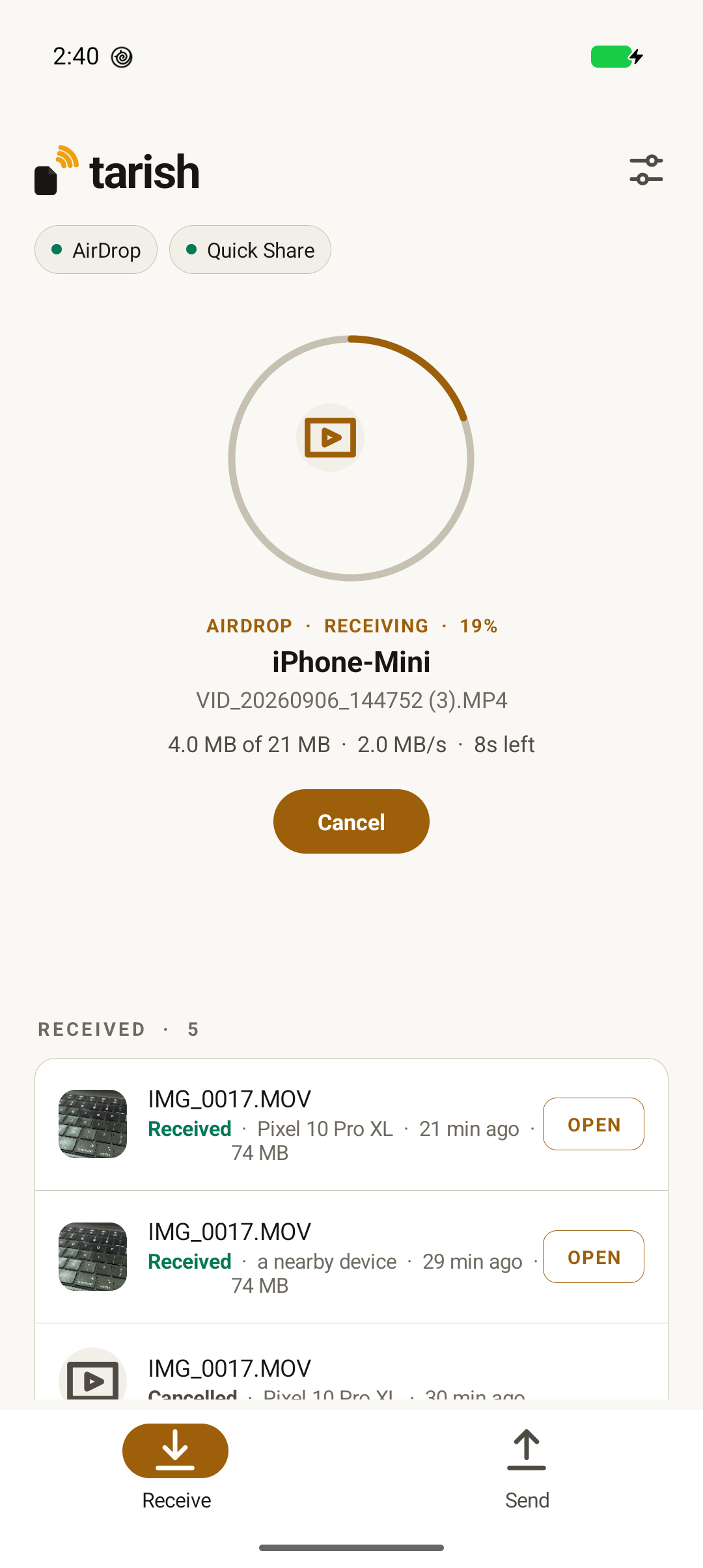
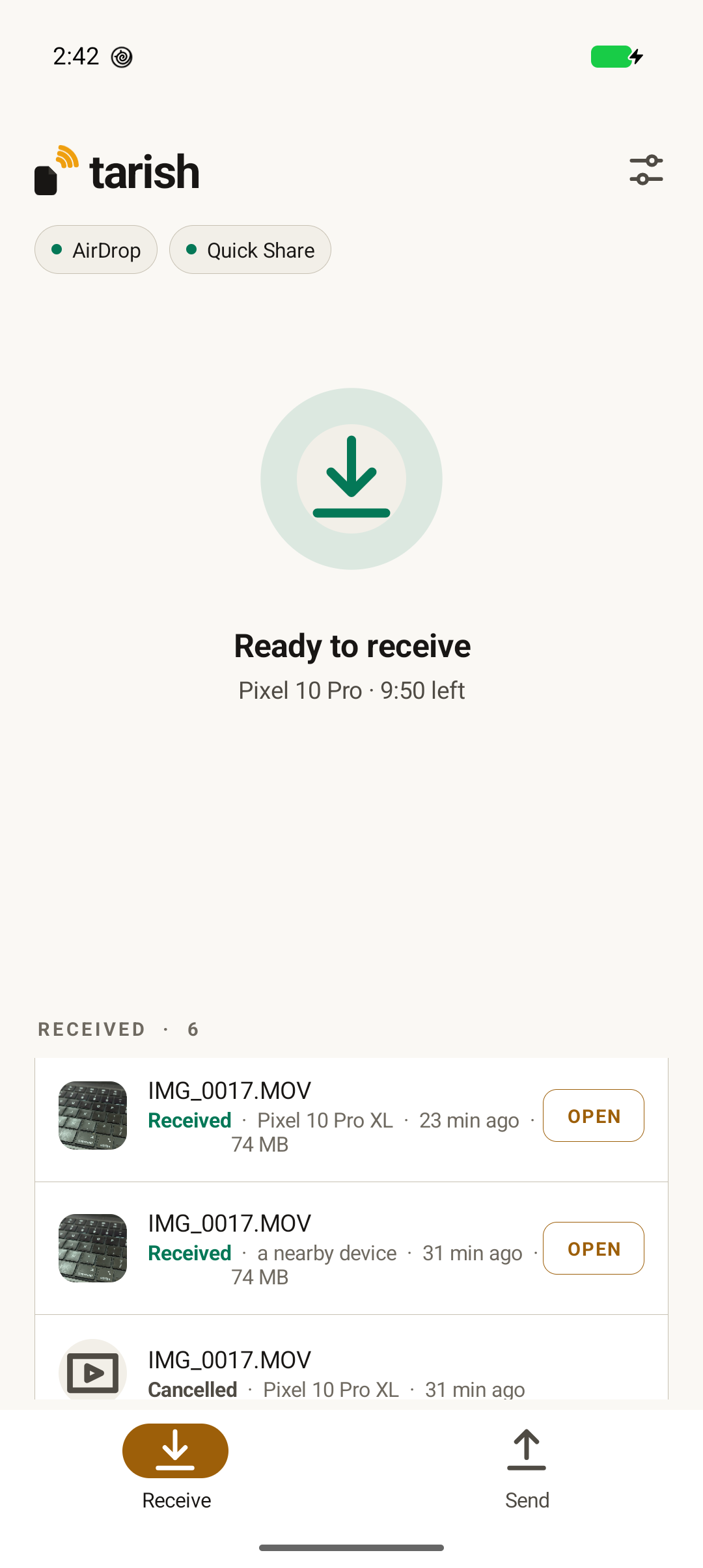
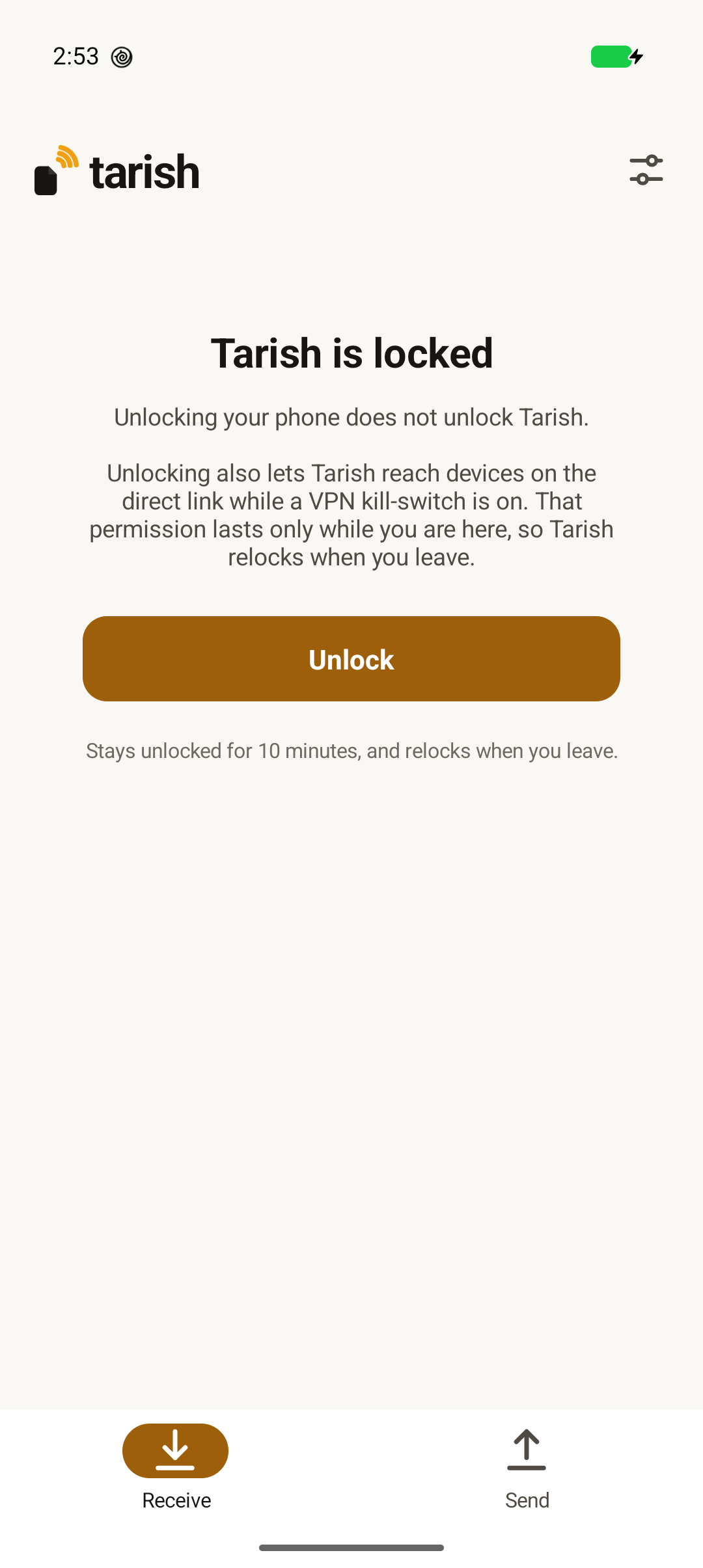
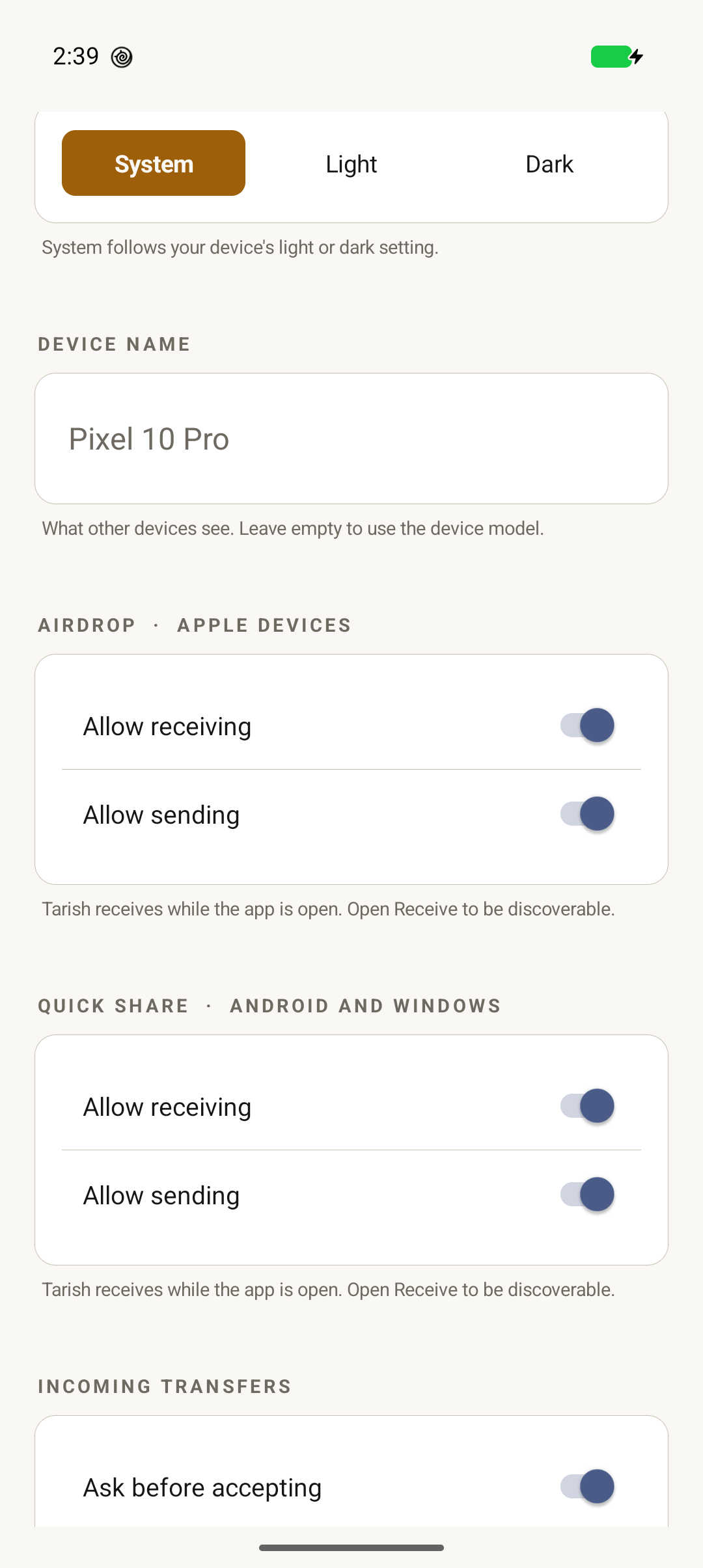
Screenshots from a Pixel 10 Pro running a developer build with no Google applications installed. Peer names are the devices’ own — nothing is mocked up.
Quick Share · four ways to move a file
Quick Share does not pick one medium and hope. It discovers with no network, starts on a link that always works, and upgrades mid‑transfer to a fast one. Tarish implements the whole ladder, in both directions. Each speed below is to a stock peer, not to ourselves.
Wi‑Fi LAN
same network
A peer publishes its address over mDNS and is reached by connecting to it — TCP, no negotiation. The fast path when both devices are on one Wi‑Fi.
22 MB/s send·21.6 MB in 0.46 s receive
Wi‑Fi Direct
no network
The advertiser hosts a group, the discoverer joins, and the socket is handed across mid‑transfer. The fast path with no shared network at all.
10.5 MB/s·group up in 3.4 s on 5 GHz
Bluetooth
no network · the bootstrap
RFCOMM. Slow but universal — every off‑network transfer starts here and the bandwidth‑upgrade ladder climbs off it to Wi‑Fi Direct.
~150 KB/s send·~115 KB/s receive
Bluetooth LE
discovery
Advertise and scan, both ways. How two phones see each other with no network — framework BLE the app reaches, since a native daemon cannot.
the handshake before any of the above
The upgrade is for peers with no shared network; on one subnet Wi‑Fi LAN needs no negotiation and is already the fast path. AirDrop to Apple devices takes a different road entirely — AWDL, below.
How it works
Java · privileged system app
Rust · its own SELinux domain
unmodified
Every layer is open source except the radio. AWDL — the layer Google ships
as the closed libmosey — has an open implementation here,
tarish-link: it brings the Pixel’s radio up,
runs the master election and time sync with Apple devices, and carries IP. The one layer that stays a
vendor’s is the Wi‑Fi driver and its firmware — the way a network card’s does.
The stack
AirDrop and Quick Share are each a tower of protocols, not a single feature. Tarish implements the tower — top to bottom — and stops only at the radio the vendor ships. Here is the whole thing, and who wrote each layer.
tarish-link, replacing libmosey
open source
tlink-hal
open source
wonder.ko + the Broadcom firmware — the one closed layer, and the vendor’s to ship
vendor
The AWDL layer has an open implementation, tarish-link — see
the lab.
Just landed
Share a note from an iPhone and it arrives as a .notesairdropdocument — an
Apple Notes protobuf that nothing on Android can open. So you receive your own note, sealed.
Tarish unpacks it: the text as a .txt, each voice recording as a playable
.m4a, byte‑identical to what was inside. The original stays, because it is the
only thing that goes back to an Apple device intact.
one audio note in
four files out
The lab
AirDrop moves its bytes over AWDL, Apple’s peer‑to‑peer Wi‑Fi.
tarish-link is an independent reimplementation of it — built from over‑the‑air
captures, published research and the Wireshark dissector, not from anyone’s source. In
Tarish’s builds it runs in place of libmosey for the core AirDrop path — on a Pixel it
brings the radio up, wins Apple’s election against real iPhones, and synchronises to an Apple
device’s schedule. Sending works too — a 20 MB file to an iPhone with no libmosey in the path, in 5.5 seconds. One iPhone used to take 61 seconds for the same file; that turned out to be our own send path transmitting bulk frames three times over, not the peer, and it now takes 3–7 seconds. What that took:
no libmosey
Our own netlink code drives Google’s radio shim — the vendor commands, the monitor, the transmit path — and airs AWDL frames. The binary links no Google library at all.
Apple elects us
Advertise a winning metric and real iPhones adopt us as their master. It tracks the number we send: 530 loses to a stronger peer, 600 wins. Their own election logic, acting on our frames.
we sync to Apple
Declining the election, we track a real Apple master’s availability windows to about
10 ms inside a 65 ms slot — in software, the way libmosey does it.
slot 8 → ch 6
Every device keeps slot 8 of its 16‑slot schedule on channel 6, in all 556 sequences observed — a fixed cross‑band meeting point, and one of many findings from the captures.
Twelve of AWDL’s tags decoded — election, sync and channel sequence at 100%, with the 6 GHz tags (32, 33) the main gap. Built from captures, the 2018 AWDL paper by Stute et al., and Wireshark’s dissector read as a specification.
Devices
AirDrop needs Google’s wonder radio shim bound to the Wi‑Fi driver, and
that depends on the silicon, not the model name.
While AirDrop is running, the phone is off Wi‑Fi. Raising the AirDrop link drops the Wi‑Fi association and it does not hold — on every device below, ours and stock alike. That is the radio rather than this implementation, so it is a property to plan around and not a bug waiting on a fix. Quick Share over a shared network is unaffected, because it needs no AirDrop link at all.
And set the Apple device to “Everyone”. In “Contacts Only” an iPhone or Mac withholds its name and refuses transfers unless the sender proves it is in their contacts with an Apple‑signed record. That needs an Apple ID — the one thing this project is built not to have — so a contacts‑only device shows up unnamed and accepts nothing. Apple’s design, and not something an account‑free implementation can work around.
adb shell ls /sys/class/ieee80211/ # wonder = yeswonder — Quick Share onlyFor system integrators
Tarish ships inside the system image, not from an app store: two native daemons, a privileged app, and a SELinux policy an administrator can pin. Nothing is OS‑specific by design — the daemon asks the platform for an AWDL library and a kernel module and does not care where they came from. It runs on a custom Android image today. LineageOS is coming soon — that work is under way and is not ready.
CAP_NET_ADMIN, uid system.packages/modules/Connectivity.The split is the security design: the process holding
CAP_NET_ADMIN never parses remote input, and the process parsing remote input
holds nothing.
wonder.ko, the silicon‑tied
kernel module, already in the Pixel vendor image; Tarish drives it. The AWDL userspace is
tarish-link (tlink), Tarish’s own, which every build ships — not
Google’s libmosey.The vendor pin lives with the integrator, not in either repository — which is what keeps the daemon portable to LineageOS or plain AOSP without carrying one integrator’s vendor decisions.
file_contexts
Install the .te without it and the build succeeds, the domain exists, and
nothing ever runs in it — init cannot transition without the label.
the empty table
A new interface gets its own routing table, and it starts empty. connect()
returns ENETUNREACH on a healthy link until fe80::/64 is added to
that table.
country 00
The world regulatory domain forbids channel 149. The vendor library accepts it, logs a healthy bring‑up, then returns NULL. tarishd refuses to start without a real country.
For developers
tarishctl drives the daemon from a shell over the same binder
interface the app uses — there is no private back channel, because a debug tool that
reaches past the real interface tests something nobody ships. Two phones, a script, no taps:
that is how most of the interoperability work here was actually done.
# B advertises and accepts without prompting; A finds it and sends
adb -s $B shell tarishctl policy confirm off
adb -s $B shell tarishctl discoverable on 120

adb -s $A shell tarishctl refresh
PEER=$(adb -s $A shell tarishctl peers | awk '$2==1 {print $1; exit}')
adb -s $A shell tarishctl send "$PEER" /sdcard/Download/test.bin

adb -s $B shell tarishctl received
Numbers, not labels
peers prints the protocol and state as the integers the interface uses, so a
test matches on 1 rather than on whatever English word was on screen that week.
The name comes last, because it can contain spaces.
The transports the daemon cannot reach
Bluetooth and Wi‑Fi Direct need framework API a native daemon has no access to, so both
were skipped in every end‑to‑end run until this existed. app send drives the
Bluetooth bootstrap and the Wi‑Fi Direct upgrade after it, in one command.
Only where it belongs
It can start a transfer and accept an incoming one, so it is restricted twice over — in the makefile and again in SELinux policy. It is not part of a shipped image.
Full command reference: TARISHCTL.md.
For managed deployments
A device with an always‑on VPN in lockdown mode blocks outbound traffic that is not in the tunnel. Tarish treats that as a hard requirement: it never asks for the kill‑switch to be turned off, and ships nothing that would let it be. Where sharing cannot work inside it, sharing loses.
Discovery is multicast receive and is never blocked, so peers still appear in the list and only the connection fails. Worth knowing before it puzzles someone.
Sharing on a link‑local interface needs one routing rule to sit above the kill‑switch. A permanent exemption would answer the wrong question. An administrator is not asking how much it can reach — they are asking who decided, and whether they were there. A phone in a drawer with an always‑on hole fails that test however small the hole is.
one priority
Authentication moves the rule above the block and nothing else. With no kill‑switch present, authenticating changes nothing observable — there was nothing to exempt.
silence closes it
The daemon asks the app every few seconds whether the window should stay open. No valid answer and the exemption is withdrawn. Nothing has to be delivered by a dying process, so there is no teardown path to get wrong.
fail‑closed
A missing, stale or unreadable state means not exempt. The failure mode is losing the exemption, never keeping it.
Status: managed configuration is built and in use. The authenticated window is built and largely verified on hardware, but is not yet wired into the normal share flow — today the exemption exists while AirDrop is on. The public document carries the measurements, the threat model with its five scopings, and the residual risk stated plainly.
Maintain a distribution and want Tarish in the image? Open an issue.
Get involved
Tarish ships inside the system image: a daemon with its own SELinux domain and a privileged app. It runs on a custom Android image today; LineageOS is coming soon.
Maintain an AOSP distribution and want this in your image? Open an issue.
$ tarishctl peers
# 0 = AirDrop · 1 = Quick Share
7c1e04a9b2f3  0  MacBook Pro
f02d9e6a1c8b  0  iPhone
Q7XA          1  Pixel 9
R2MC          1  ThinkPad
$ tarishctl send 7c1e04a9b2f3 /sdcard/talk.mov
12
$ tarishctl accept 13
# the Mac asked; we said yestarishctl is a debug tool for userdebug and eng builds — it is not part of a
release image.